
We often get asked what cameras we use in our bee house and we’re happy to share! Like a lot beekeepers, we rely on cameras to track bee traffic and foraging activity, which helps us gauge colony strength. They’re also good for spotting pests and predators early, giving us advance warning of swarming behavior, adding a layer of security against theft or vandalism, and providing valuable data-driven insights. Some advanced systems even use AI for automatic bee counting and health predictions. Thermal or infrared cameras are especially handy in winter, letting us monitor the bee cluster without disturbing their vital heat.
There are plenty of hive-monitoring options out there, and as with most things, a bigger budget usually means a more advanced setup. The cameras we’re highlighting here are the ones that have worked best for us with our current budget.
Our Current Setup
After trying several brands, here’s what we’re using right now:
- Wyze Cam V4
- TP-Link Tapo C206 Hybrid Cam
- VIMKIM Solar Security Camera Model DM324
Wyze Cam V4
The Wyze Cam V4 has been fantastic for monitoring hive entrances. They’re easy to install, fully indoor/outdoor, with autofocus, a wide field of view, and excellent low-light performance thanks to Wide Dynamic Range (WDR). This makes them perfect for capturing fine details even in tricky lighting.
The free app is straightforward and easy to navigate—you can zoom in on the action right from your phone. We love being able to group cameras and control them together (super handy for turning them all off at once). We’ve been using them for three years now, and they’re still going strong!
The only real downside is that they don’t natively support RTSP (Real-Time Streaming Protocol) for direct streaming to OBS, the software we use for YouTube livestreams. There are workarounds like docker-wyze-bridge or TinyCam Pro, but recent firmware updates have broken those options for many users. Some folks have flashed their cameras to restore functionality, but we’re going with a simpler route for now: viewing the feeds in a web browser at my.wyze.com/live and capturing that window in OBS. It requires a CamPlus subscription and isn’t quite as efficient, but it’s currently our best option for clear low-light footage of the hive entrances.
TP-Link Tapo C206 Hybrid Cam
Like the Wyze cameras, the TP-Link Tapo C206 models are easy to install and have a user-friendly app. You can zoom in on the focus area in the app, and they offer great value with pan/tilt functionality, solid weatherproofing, and color night vision. The resolution is 1080p (a step below the Wyze Cam V4’s 2.5K), but they perform reliably for the price.
Monitoring through the app is free, and you can also view them on a desktop using VLC media player (a free download). Best of all, unlike the Wyze cams, these support direct RTSP streaming to OBS making them a smooth choice for livestreaming.
Here are the specifications and side-by-side comparison:
| Feature | Wyze Cam v4 | Tapo C206 |
| Resolution | 2.5K QHD (2560 x 1440) | 1080p Full HD (1920 x 1080) |
| Image Quality (Day) | Excellent sharpness and detail thanks to higher resolution. Vibrant colors, good light balance, and WDR for high-contrast scenes. Generally sharper and more detailed than 1080p competitors. | Solid for 1080p with good color reproduction and Starlight sensor. Sharp enough for most uses but noticeably less detailed than 2.5K. |
| Image Quality (Night) | Strong color night vision with spotlight. Crisp IR and well-balanced low-light performance. Some users note it can be slightly washed out compared to competitors; spotlight helps significantly. | Good full-color night vision via spotlights. Reliable IR (up to 40 ft). Colors remain vivid in low light, though lower resolution limits fine details. |
| Overall Image Winner | Wyze v4 (higher resolution provides clearer details, especially for face recognition or distant objects) | Better in some direct comparisons for color vibrancy, but resolution holds it back. |
| Frame Rate | 20 FPS (day), 15 FPS (night) | Up to 30 FPS (smoother motion) |
| Field of View | Wider: 115.8° diagonal, 98.5° H, 53.1° V | 85° diagonal, 73.5° H, 41° V |
| Pan/Tilt | None (fixed) | Yes: ~360° horizontal, ~146° vertical |
| Night Vision | Color + IR (4x 850 nm), 72-lumen spotlight | Color + IR (up to 40 ft), built-in spotlights |
| Wide Dynamic Range | Yes (WDR) | Not explicitly listed (relies on Starlight sensor) |
| Audio | 2-way, louder 99 dB siren | 2-way with noise cancellation |
| Storage | microSD up to 256 GB + Cloud | microSD up to 512 GB + Cloud |
| Connectivity | Wi-Fi 6 (2.4 GHz), Bluetooth 5.2 | 2.4 GHz Wi-Fi only |
| AI Detection | Edge AI person detection, Smart Focus | Person, Baby Crying, Motion, Tampering |
| Weather Resistance | IP65 | IP65 |
| Power | Wired microUSB, 5V/1A | Wired USB-C, 5V/1A |
| Dimensions / Weight | 2.64 x 2.28 x 3.98 in / ~222 g | 4.15 x 3.06 x 2.75 in / ~220 g |
| Integrations | Alexa, Google, IFTTT | Alexa, Google, Samsung SmartThings |
Trying set ups
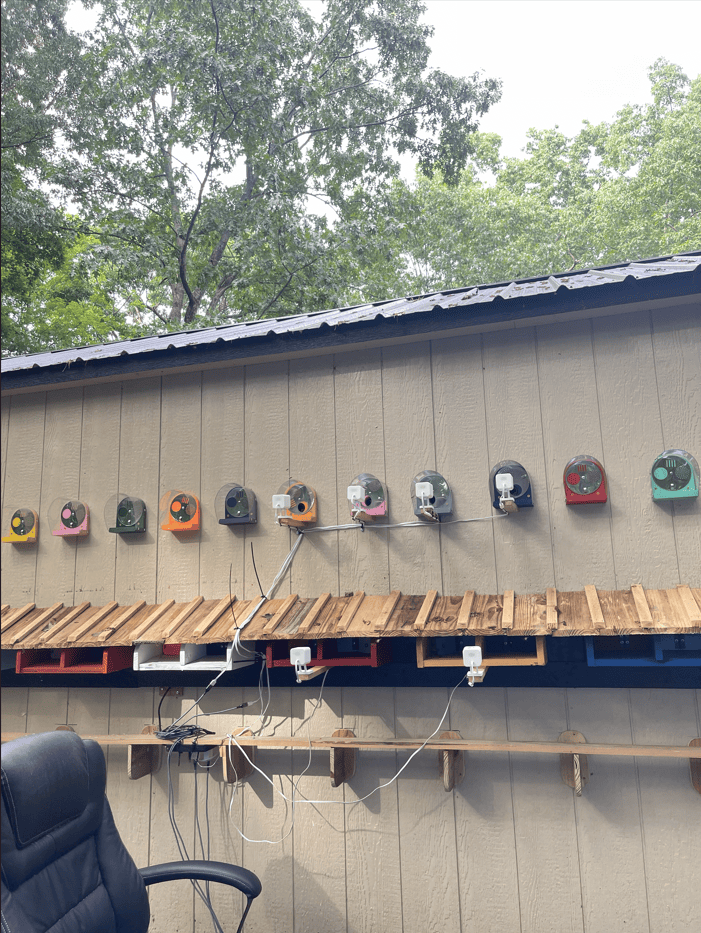
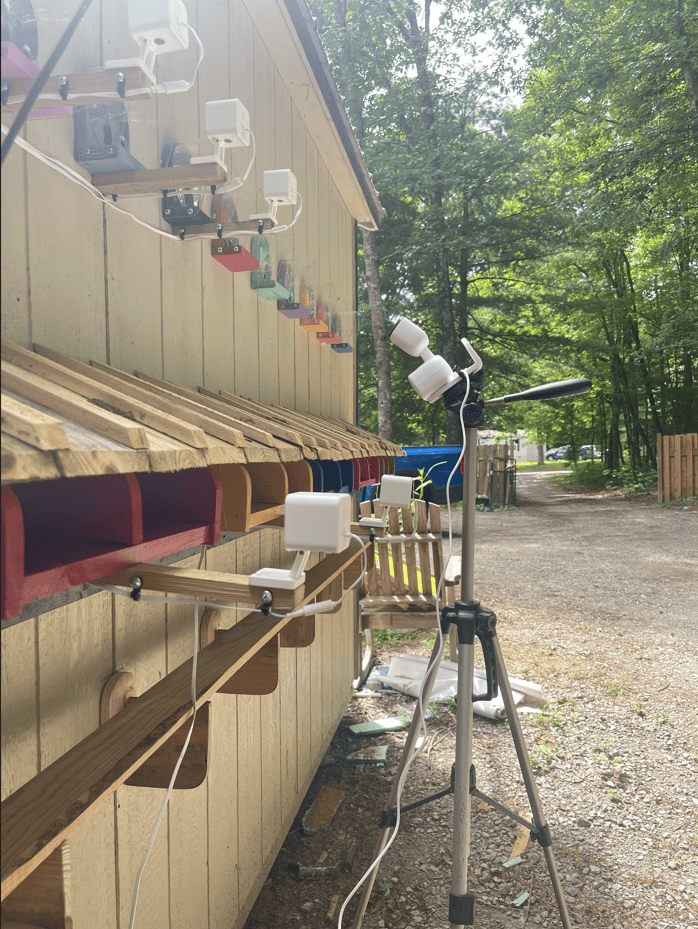
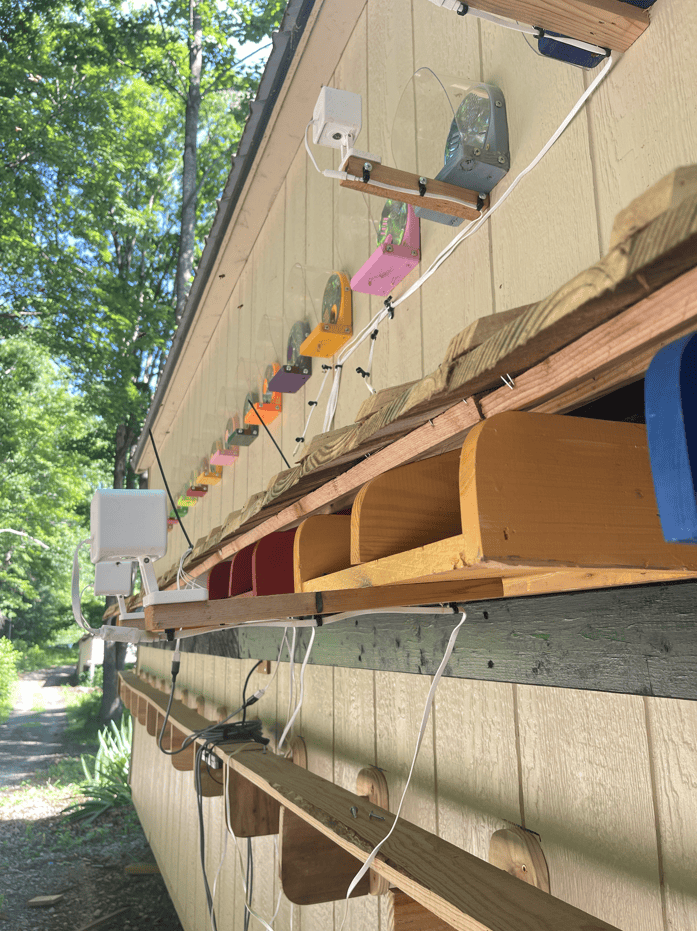
VIMKIM Solar Security Camera Model DM324
This is our go-to security camera around the farm. We’ve had several running reliably for over four years with zero issues. They provide true 24/7 wire-free surveillance in remote areas without needing existing power sources just Wi-Fi (we use Starlink). Their solar power setup means no frequent manual charging, and the impressive 350° horizontal and 115° vertical pan-tilt-zoom (PTZ) range lets us cover large perimeters easily.
Other beekeepers have successfully used these to monitor hive entrances, too. Zoom works well in the free app, just like the other brands.
A Few Things to Keep in Mind
Cameras watching hive entrances need to be positioned at least 14 inches away from the main focus area so the autofocus can lock on properly. This is true for pretty much any camera—always check the focal specifications before choosing one for hive monitoring.
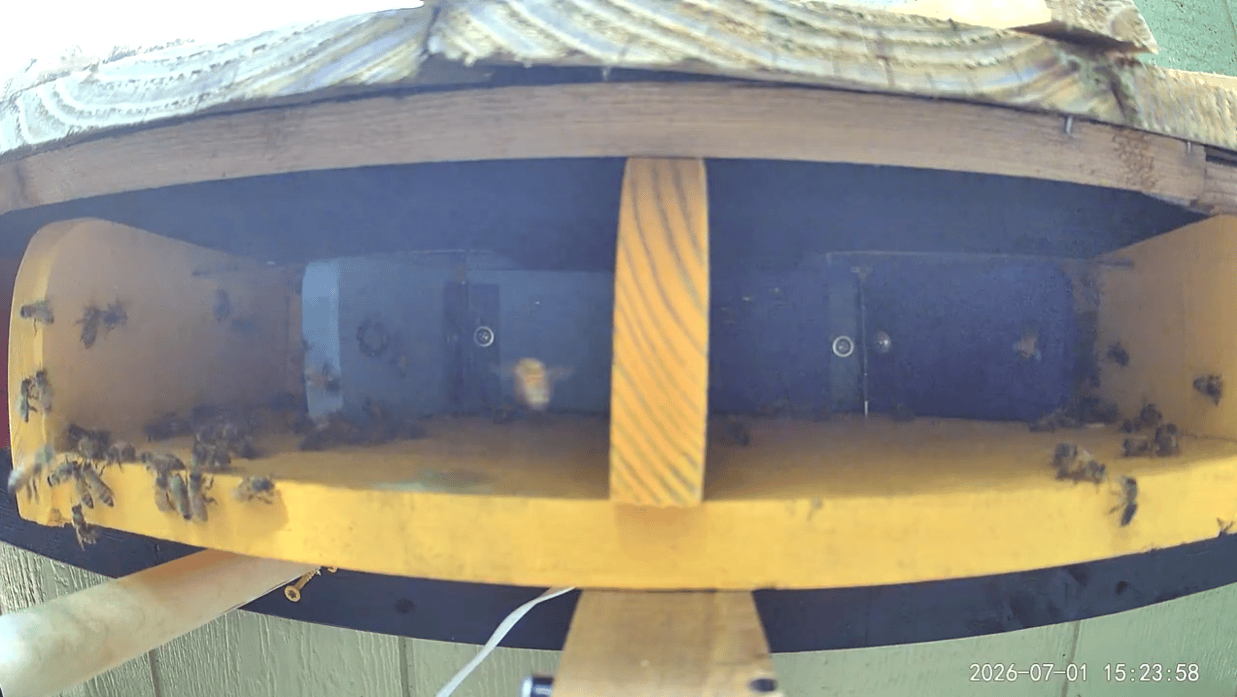
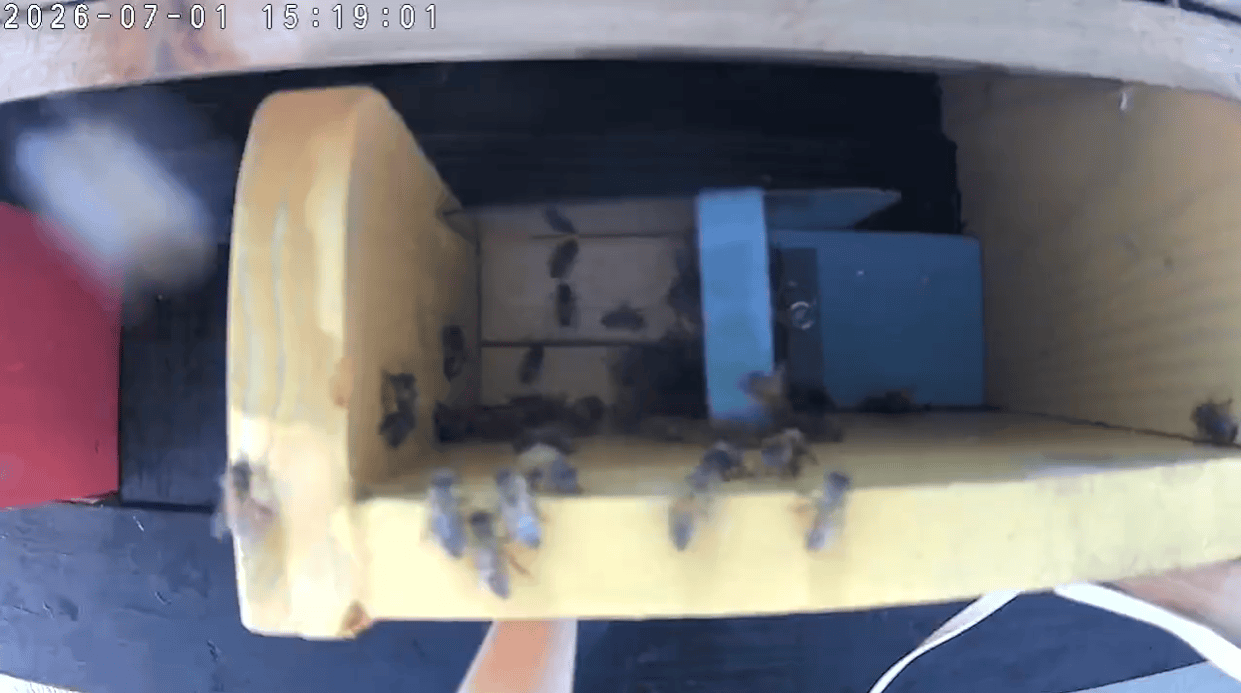
Wyze Cam V4 screenshot view with camera mounted 16 inches away from hive entrance.
TP-Link Tapo C206 Hybrid Cam screenshot view with camera mounted 14 inches away from bee house outer wall.
Most cameras have automatic spotlights that turn on with motion detection (usually for at least 5 minutes). Unfortunately, this can confuse or disturb the bees at night. We recommend turning off motion detection and sensors in the app settings to prevent unwanted spotlight activation especially when a curious spider wanders across the frame.
You may also want to disable automatic software updates. A recent Wyze update caused many users to lose their YouTube livestream feeds. If you keep auto-updates on, schedule them for a time that works best with your hive routine. (Note: turning cameras or spotlights off at night can trigger updates to reactivate them.)
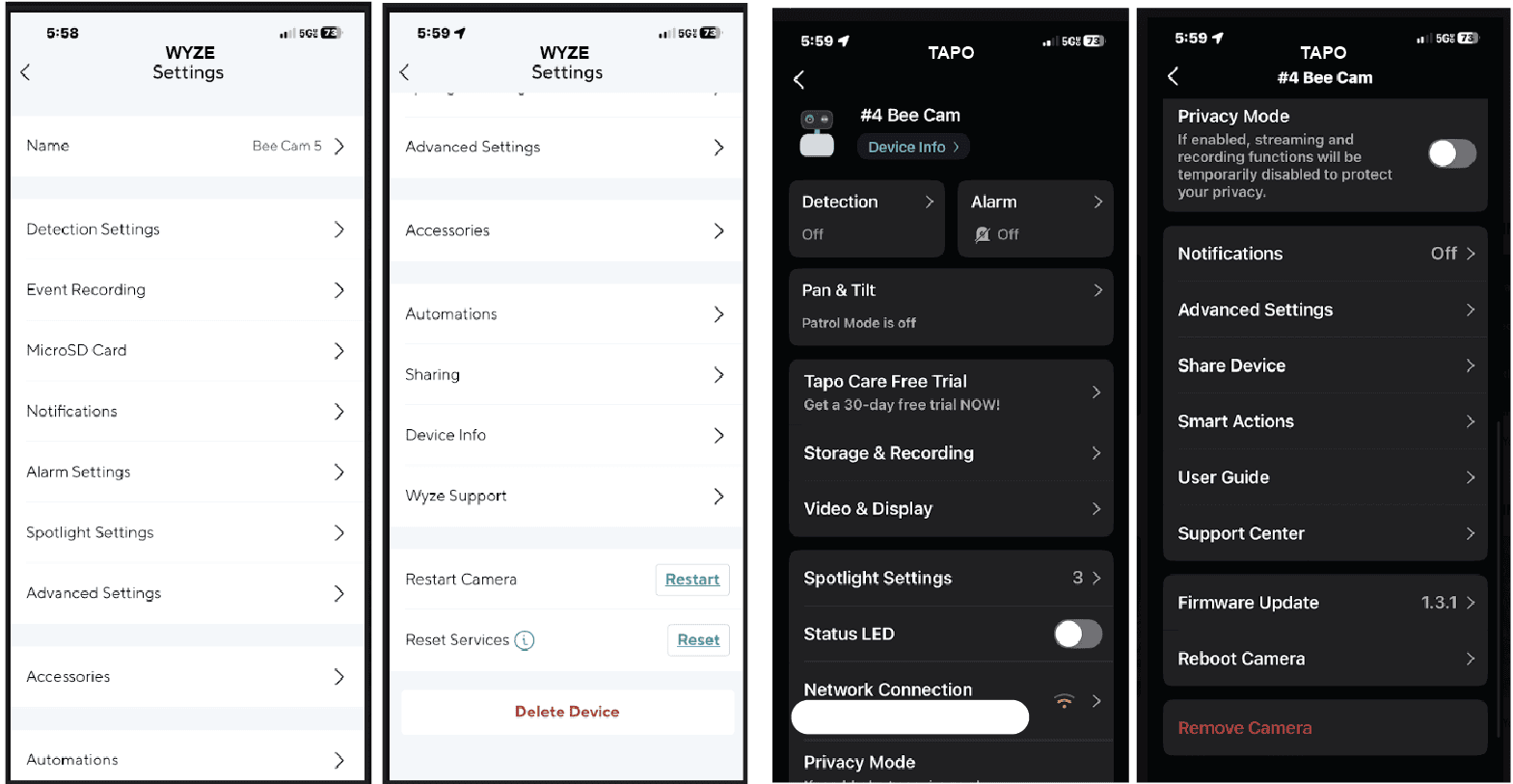
Finally, take time to explore all the settings in the app, even the ones you don’t think you’ll need. You might discover useful features you didn’t know about!
Screenshots from both apps’ dashboards
Future Plans
We’re getting everything ready to livestream our bee house hive entrances on our YouTube channel. After that, we’ll add live events from inside the house where we can answer questions and show more of the internal systems. We’re still fine-tuning the camera layout and testing different mounting options, so we’ll keep you posted on our progress.
We hope this helps other beekeepers who are exploring camera setups! Feel free to drop any questions in the comments—we’re always learning and happy to share what’s working for us.